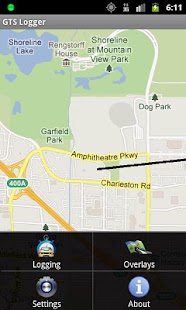
GTS Logger
It stores your way points local and sends them when a Internet connection is available, so no way points get lost.The way points are also displayed on the device, here you can choose between the normal view and satellite view, you can also display traffic information.Features- Choose the time and distance when a way point should be logged (configurable in the settings dialog)- No logged way points get lost because of a persistent queue- If no Internet connection is available way points will be saved local and send when a connection can be established.
Those way points can also be send manualy.- Queued way points can be deleted- Logging - is done in the background - can be controlled with a widget - can be automatically paused when device runs on battery (configurable in the settings dialog)- Automatic start of logging when device starts, when GTS Logger starts and when device is placed in a car dock (configurable in the settings dialog)- Automatic stop when device is removed from car dock (configurable in the settings dialog)- Sanity check of received GPS data, so only only reasonable way points get logged (configurable in the settings dialog)- Display can stay on during logging (configurable in the settings dialog)- Remote control via SMS: - Start logging with command: GTSLOGGER START - Pause logging with command: GTSLOGGER PAUSE - Resume logging command: GTSLOGGER RESUME - Stop logging with command: GTSLOGGER STOP - Get the last waypoint with command: GTSLOGGER LAST WAYPOINT
GTS Server ConfigurationOn your GTS Server you have to install the gprmc.war, create an account and a device (or use an existing account and device).
No further configuration should be necessary.
For further installation information please visit http://opengts.sourceforge.net
GTS Logger ConfigurationTo configure the App you have go to the settings screen and insert the GTS Server address, GPRMC service name (the default should be fine), account name and device name.If your setup is fine you can see the way points in your GTS Server.If your configuration has errors or no Internet connection is available at the moment, in the Logging menu you can see that GTS messages are en queued.
In that case please correct either the settings or establish the connection to the Internet.From the Logging menu you can either try to resend the messages or delete all waiting messages.
If you have any question or suggestions to make GTS Logger better, please contact [email protected] or visit http://android.mikejrendar.net
About GTS Logger
- Package name (App ID)
- net.mikejrendar.android.gtslogger
- Available on
- Google Play
- Price
- Free
- Version
- v1.2.0
Looking for the GTS Logger APK?
The safest way to get GTS Logger (net.mikejrendar.android.gtslogger) on your Android device is to install it directly from Google Play — you'll always get the latest official version, automatic updates, and no risk of modified or infected APK files from third-party sites.
Social Features
Connect and share with friends and the community.
Gaming Features
Enjoy immersive gaming experience with various game modes.
Fitness Tracking
Track your workouts and monitor your health metrics.
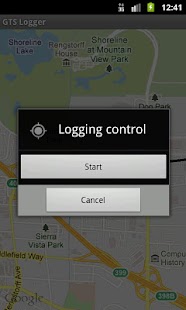
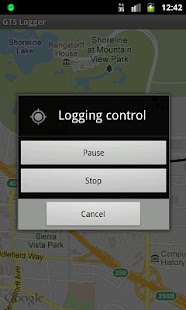
See GTS Logger in Action
Frequently Asked Questions
Is GTS Logger free?
Yes, GTS Logger is free to download and install on Android through Google Play.
How do I install GTS Logger on Android?
Open Google Play on your Android phone or tablet, search for GTS Logger or tap the Google Play button on this page, then tap Install. The app downloads and installs automatically.
What is net.mikejrendar.android.gtslogger?
net.mikejrendar.android.gtslogger is the App ID (package name) of GTS Logger on Google Play. Every Android app has a unique package name, and it is the safest way to verify you are installing the official app.
Is GTS Logger safe to download?
Installing GTS Logger from Google Play is the safest option: you get the official version, verified by Google Play Protect, with automatic updates. Avoid APK files from unofficial third-party sites.

Get GTS Logger Today
GTS Logger for Android — free download on Google Play.
Compatible with Android phones and tablets — available on Google Play.
Ask AI about this app
Get instant answers about features, tips and more from popular AI assistants.